
How to Set Up a Social App for Alzheimer’s: A Step-by-Step Guide for Families
(Video embedded above)
Staying connected becomes more difficult as Alzheimer’s disease and other forms of dementia progress. Family members often live in different cities, caregivers become stretched thin, and traditional social media platforms can feel overwhelming, confusing, or even unsafe for someone experiencing cognitive decline.
For many families, one of the biggest challenges isn’t simply communication—it’s maintaining meaningful connection.
That’s where a dedicated social app for Alzheimer’s and dementia can help.
In the video above, Trusted Life Circle founder Andy Reiland walks through the complete process of setting up a Trusted Life Circle. The entire setup typically takes less than ten minutes and creates a private, supportive digital space where family members, friends, and caregivers can share photos, videos, and meaningful updates with someone living with memory loss.
Whether you’re looking for the best social app for dementia, exploring technology for aging parents, or searching for guidance on phone setup for aging seniors, this guide will walk you through everything you need to know.
Before You Begin: Simplifying the Phone
If you have not yet configured the phone for cognitive accessibility, we recommend starting with our dementia-proofing tutorials for each device type.
These guides walk through how to simplify the phone environment and create a more supportive interface for people experiencing memory impairment.
Dementia Proofing Tutorials:
- Dementia Proofing a Samsung Galaxy
- Dementia Proofing an iPhone using Assistive Access
- Dementia-Proofing a Google Pixel
These tutorials focus on usability and accessibility.
The video above focuses specifically on security and identity protection.
In the future, we will also publish Samsung Galaxy and Google Pixel security setup guides to complement this tutorial.
Why Traditional Social Media Often Doesn’t Work for Dementia
Popular social media platforms were never designed for people living with Alzheimer’s disease or cognitive impairment.
Many individuals experience challenges such as:
- Remembering usernames and passwords
- Navigating complex menus and settings
- Distinguishing advertisements from family content
- Recognizing scams or suspicious messages
- Managing notifications and account security
- Understanding constantly changing interfaces
As dementia progresses, even simple digital tasks can become frustrating.
Family members often find themselves asking:
- How can I help my loved one stay connected?
- Is there a safer alternative to Facebook
- What technology can support someone with Alzheimer’s?
- How can family members share photos without confusion?
These challenges inspired the creation of Trusted Life Circle, a private social app specifically designed for Alzheimer’s, dementia, and cognitive impairment.
What Is Trusted Life Circle?
Trusted Life Circle (TLC) is a private social platform built specifically for families navigating Alzheimer’s disease, dementia, memory loss, and other cognitive challenges.
Unlike traditional social networks, TLC focuses on simplicity, safety, and connection.
The platform is built around three key roles:
VIP
The VIP is the person living with Alzheimer’s, dementia, memory loss, or another cognitive condition.
Their experience is intentionally simplified to reduce frustration and confusion.
Guardian
Guardians are typically family members or caregivers.
They create and manage the circle, invite family members, adjust settings, and help support the VIP’s experience.
Contributors
Contributors are family members, friends, neighbors, or caregivers who participate in the circle by sharing photos, videos, messages, and meaningful moments.
Together, these roles create a supportive private community centered around the VIP.
Step 1: Download the App on Both Devices


Before beginning setup, you’ll need:
- Your phone
- The VIP’s phone
- Trusted Life Circle installed on both devices
The app is available for both Apple and Android devices.
This flexibility makes it easier for families who may be using different phone brands and operating systems.
If your loved one lives in another city or state, don’t worry. The setup process works whether you’re sitting beside them or helping remotely.
Step 2: Create Your Guardian Account
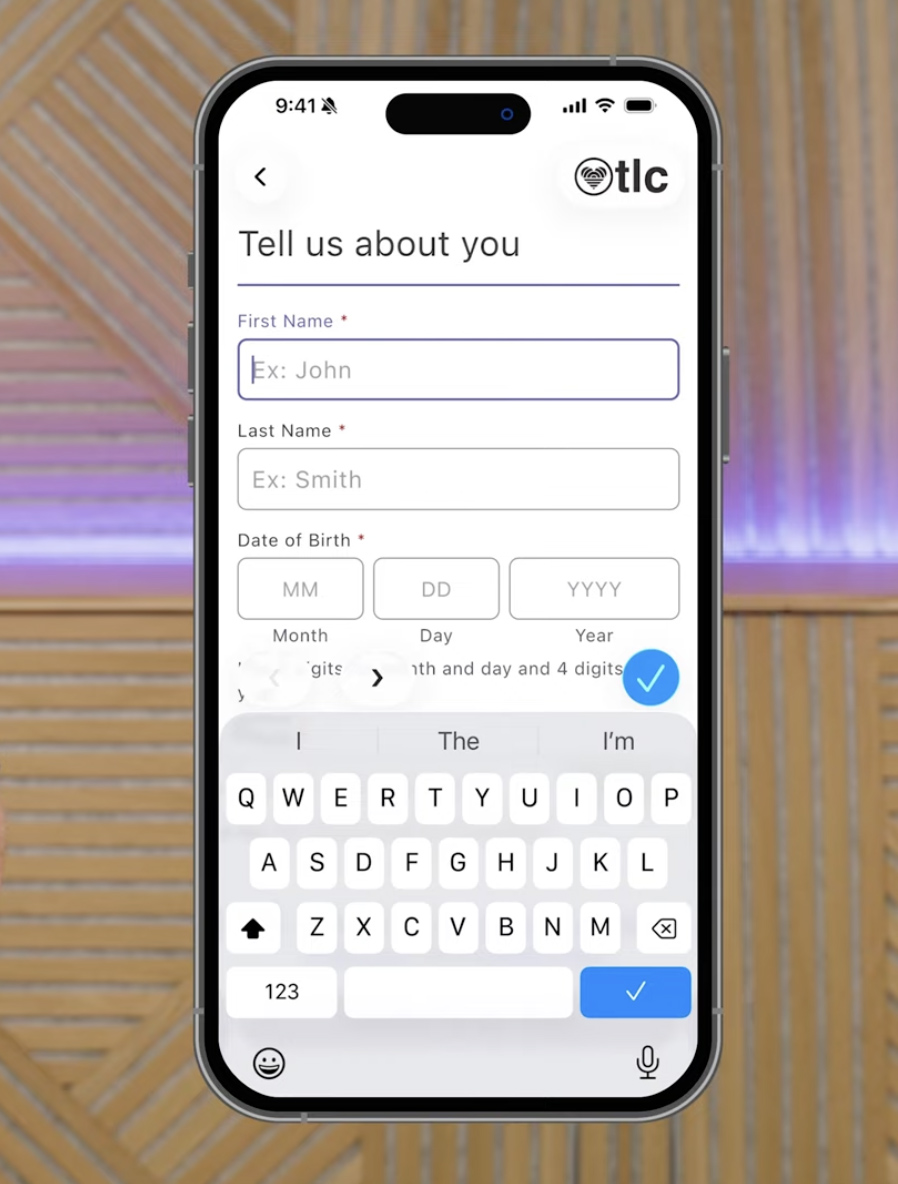
When you first open Trusted Life Circle, you’ll be prompted to sign in using:
Apple
Google
Email
If you choose email, you’ll receive a verification code to confirm your identity.
You’ll also verify your phone number through a text message code before reviewing and accepting the Terms of Service and Privacy Policy.
This security process helps ensure that only trusted individuals gain access to your family’s private circle.
Step 3: Create a New Circle
Once your account is established, you’ll have two options:
Join an existing circle
Start a new circle
Most families creating a circle for the first time will select “Start a New Circle.”
This begins the process of building a private support network around your loved one.
Step 4: Add Your Loved One’s Information
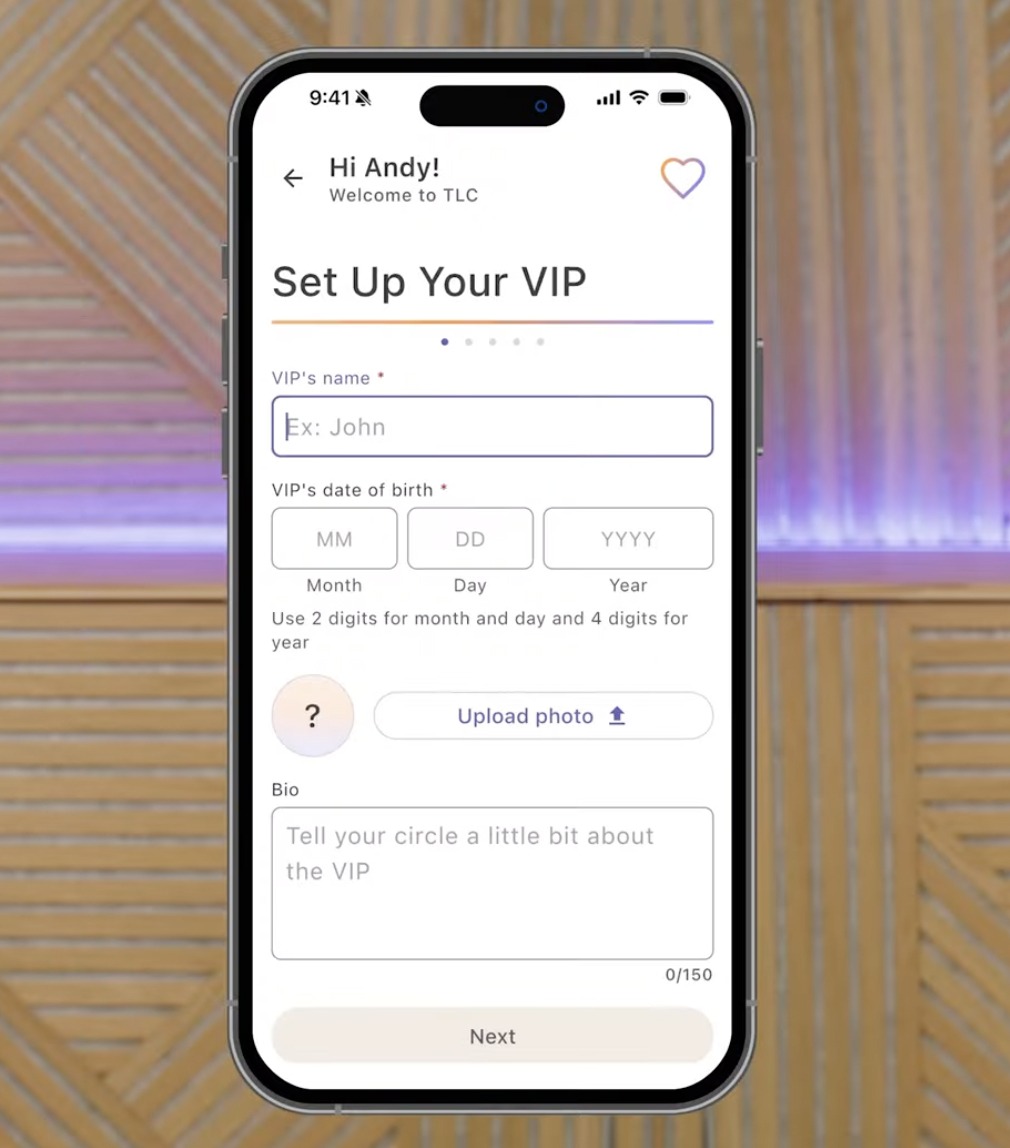
Next, you’ll create the VIP profile.
You can add:
Name
Birthday
Profile photo
Short biography
Only the name and birthday are required.
Everything else can be updated later.
This flexibility allows families to get started quickly while building out the profile over time.
Step 5: Connect the VIP’s Phone
This is often the step families worry about most, but it’s actually one of the simplest parts of the process.
After creating the VIP profile, you’ll connect their device to the circle.
If your loved one uses an iPhone with Assistive Access enabled, temporarily exit Assistive Access during setup.
You’ll then:
Open TLC on the VIP’s phone
Select “Continue as VIP”
Return to your phone
Generate a QR code or login key
You can either:
Scan the QR code directly
Enter the six-digit login key
Both methods immediately connect the VIP to their private circle.
One of the biggest advantages of this process is that the VIP doesn’t need to manage usernames, passwords, or complicated account settings.
This is a major improvement over traditional social media platforms and one reason many families consider TLC among the best social apps for dementia care.
Step 6: Invite Family and Friends
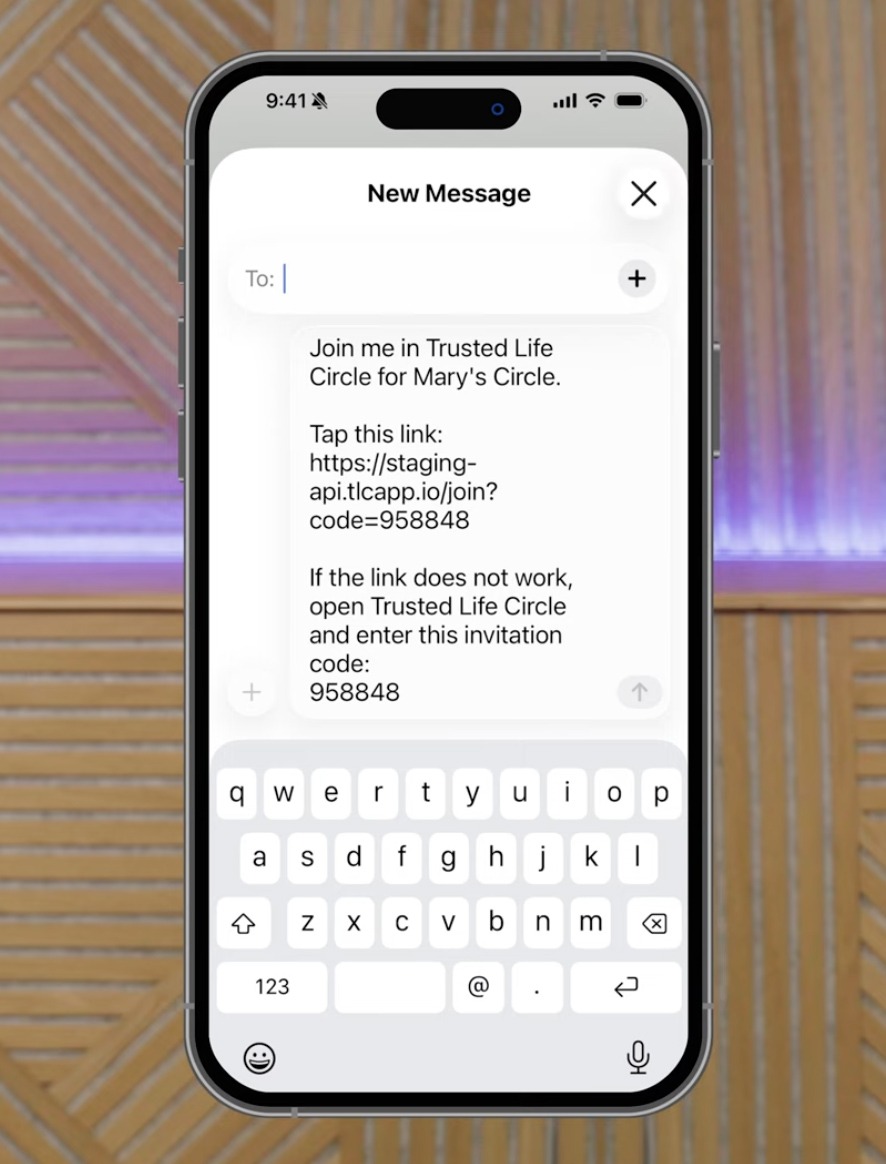
Once your circle is active, it’s time to bring in the people who matter most.
Guardians can invite:
Children
Grandchildren
Siblings
Friends
Neighbors
Caregivers
Extended family
The goal is to create a living network of support around the VIP.
As photos, videos, and messages begin flowing into the circle, the experience becomes increasingly meaningful for everyone involved.
Many families discover that the platform helps distant relatives stay connected in ways they hadn’t before.
Step 7: Assign Roles and Responsibilities
Not every family has a single caregiver.
Trusted Life Circle allows Guardians to promote additional members into Guardian roles.
This means multiple trusted people can:
Invite members
Manage settings
Support the VIP
Maintain the circle
This shared responsibility often reduces caregiver burden while ensuring continuity if one family member becomes unavailable.
Step 8: Complete Your Profile
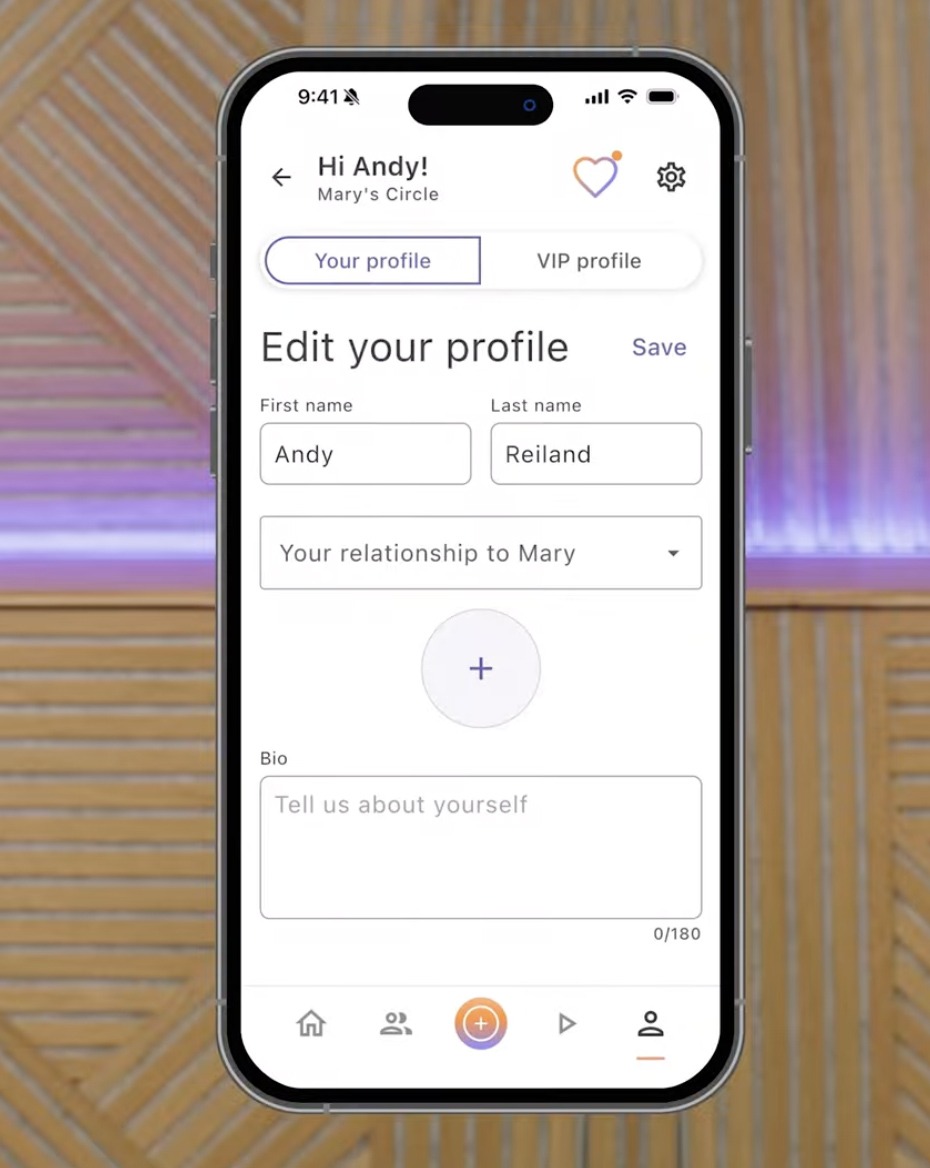
After the circle is active, each member should complete their profile.
Adding:
A profile photo
Relationship to the VIP
Short biography
helps create familiarity and recognition.
For someone living with Alzheimer’s disease, seeing recognizable faces and familiar names can make interactions more meaningful.
Step 9: Customize VIP Settings
Every dementia journey is different.
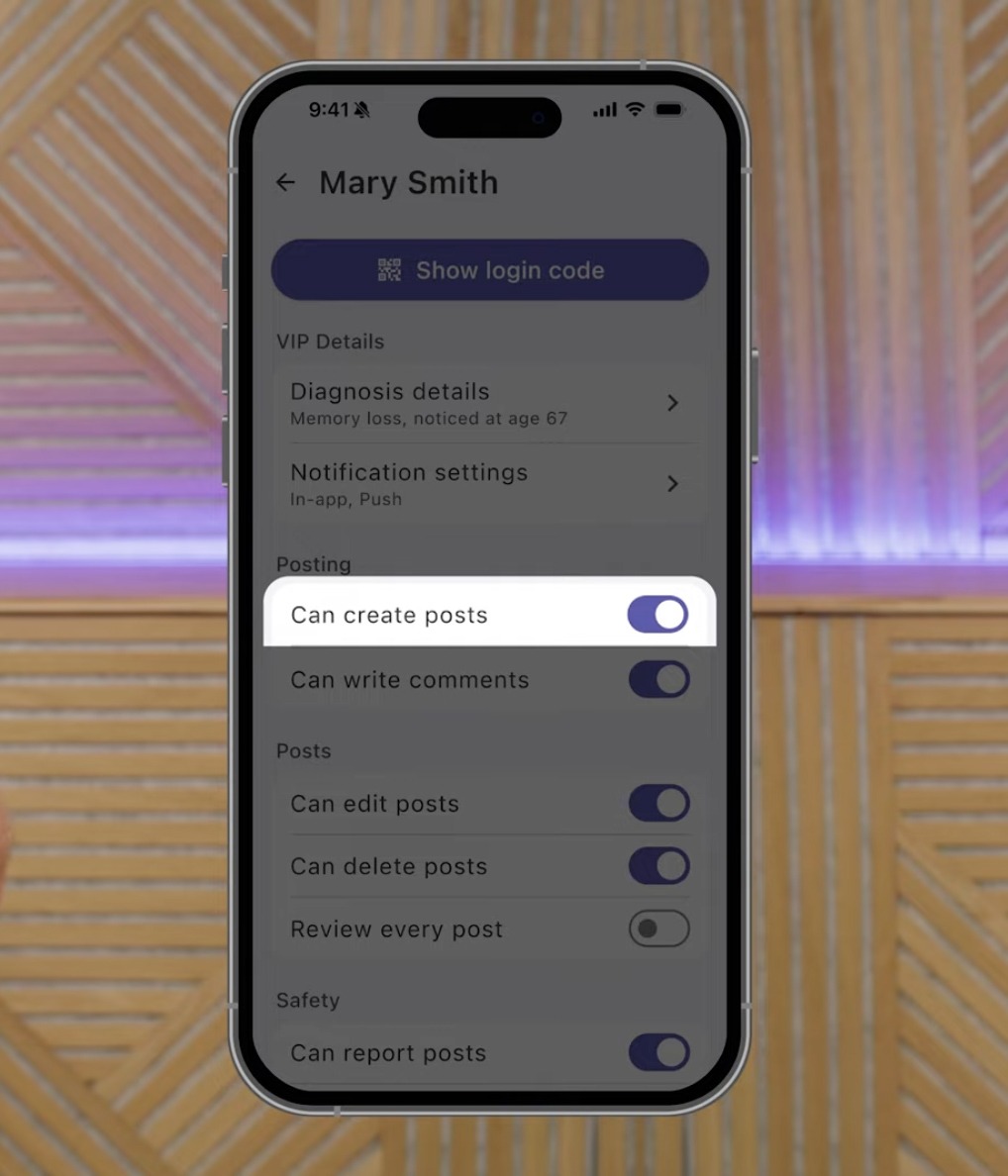
Some individuals enjoy creating posts and engaging independently.
Others may become frustrated or confused by certain features as cognitive decline progresses.
Guardian-controlled VIP settings allow families to tailor the experience based on individual needs.
These settings can be adjusted at any time.
This flexibility helps the platform adapt as circumstances change.
Why Phone Setup for Aging Seniors Matters
Many older adults rely on smartphones as their primary connection to family.
Unfortunately, standard phone settings are often designed for tech-savvy users rather than aging seniors.
A thoughtful phone setup for aging seniors can dramatically improve safety, confidence, and independence.
Families should consider:
Simplified home screens
Larger text sizes
Reduced distractions
Scam prevention tools
Password management support
Cognitive-friendly applications
Trusted Life Circle is often most effective when paired with broader efforts to simplify and secure a loved one’s device.
What Makes Trusted Life Circle Different?
There are many communication apps available today.
However, most were designed for the general population.
Trusted Life Circle was built specifically around the needs of:
People living with Alzheimer’s
Individuals with dementia
Family caregivers
Aging seniors
Memory care communities
The platform prioritizes:
Simplicity
Safety
Family connection
Caregiver control
Cognitive accessibility
Rather than trying to adapt traditional social media for dementia care, TLC was designed from the ground up with these challenges in mind.
Final Thoughts
Technology can’t stop Alzheimer’s disease or dementia.
But it can help families stay connected through the journey.
A dedicated social app for Alzheimer’s provides a private space where meaningful moments can be shared, relationships can remain active, and loved ones can continue feeling connected to the people who matter most.
The setup process takes only a few minutes, but the impact can last for years.
If you’re looking for the best social app for dementia, exploring technology solutions for caregivers, or searching for practical phone setup guidance for aging seniors, creating a Trusted Life Circle is a simple first step toward strengthening connection and reducing isolation.
Download Trusted Life Circle today and begin building a circle around someone you love.
Trusted Life Circle Is Now Live
Download Today on the App Store and Google Play
Trusted Life Circle is now available for download, helping families stay connected while supporting loved ones living with Alzheimer's, dementia, MCI, and other forms of cognitive impairment.
With TLC, families can:
• Share photos and videos in a private, trusted circle
• Help protect loved ones from scams, confusion, and online risks
• Create a simpler, more cognitive-friendly smartphone experience
• Stay connected through every stage of the journey
Whether you're a family caregiver, care partner, or someone living with cognitive changes, TLC was built to make smartphones feel less overwhelming and more supportive.
Get Started Today
Download Trusted Life Circle and create your free circle in just a few minutes.
